
37 confirmed scheduled videos / 112 episode records in Studio / 8 channels with scheduled uploads
I sent some technically valid edits back for changes. They exported cleanly, but the pictures weren’t helping explain what the voice was saying.
1. Subject and script.
2. Voice, media and receipts.
3. Edit and versions.
4. Technical and editorial review.
5. Confirmed schedule, then results.
The studio keeps the channel, script, media, versions, costs and release date together. That saves me from finding the same information in separate folders. It also lets me see whether a video is actually scheduled on YouTube or merely has a date in my own plan.
| Date | Scheduled videos |
|---|---|
| 2026-10-26 | 8 |
| 2026-10-27 | 8 |
| 2026-10-28 | 6 |
| 2026-10-29 | 5 |
| 2026-10-30 | 5 |
| 2026-10-31 | 5 |
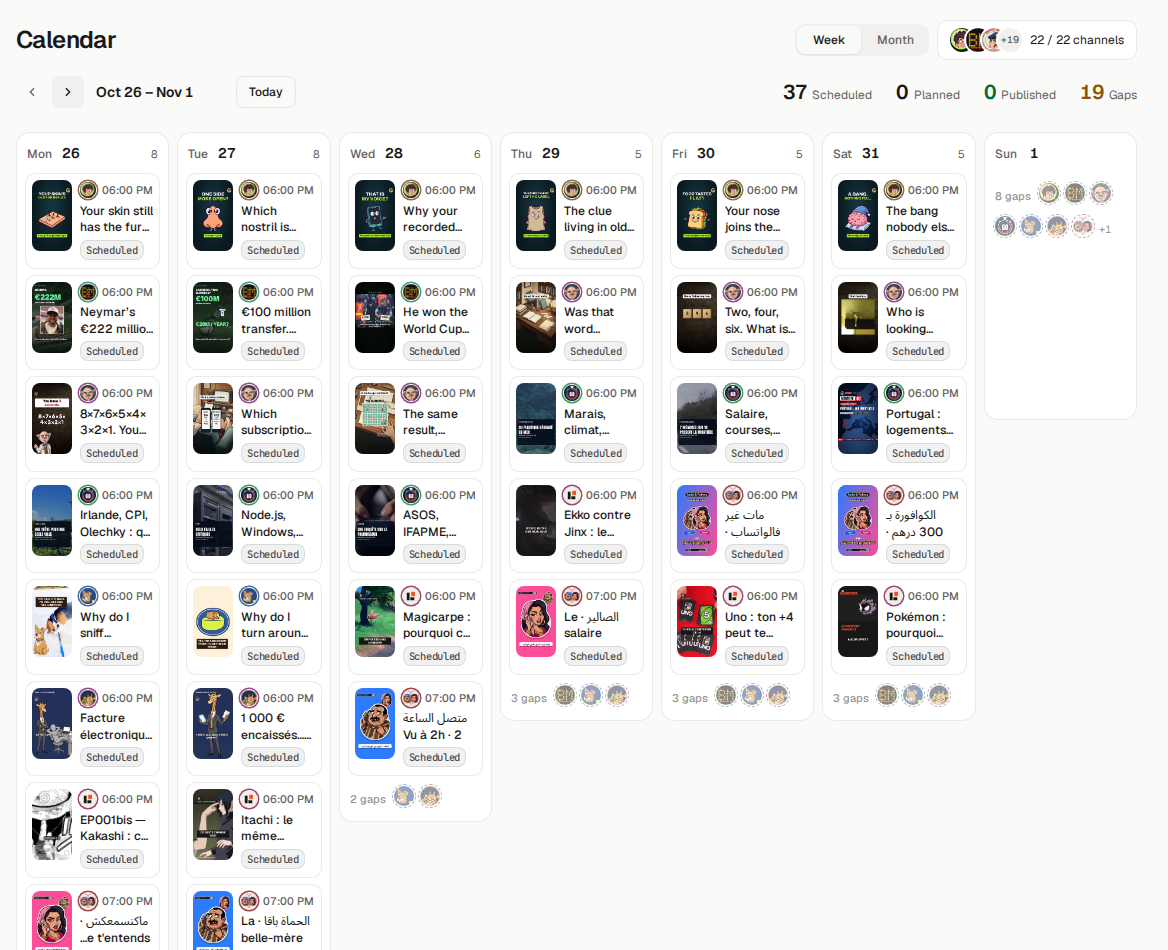
The next releases in the Studio calendar. Confirmation comes from the connected YouTube inventory.
A moving caption or a zoom didn’t solve the problem. I needed a picture, shot or diagram that helped explain the spoken point. That review happens before an episode gets approved for scheduling.
I want the next behind-the-scenes post to show one of those revisions side by side. The versions are saved; the difference should be visible in the edit itself.
Sources: snapshot 25 Oct 2026 at 22:26, Brussels. Reports processed through 23 Oct 2026.